The Bid ID Hiding feature helps protect users' identities during domain auctions. Once enabled, other auction participants will not be able to see your actual Bid UID. Instead, the system will display a temporary ID starting with TMP.
1. Enable or Disable Bid ID Hiding
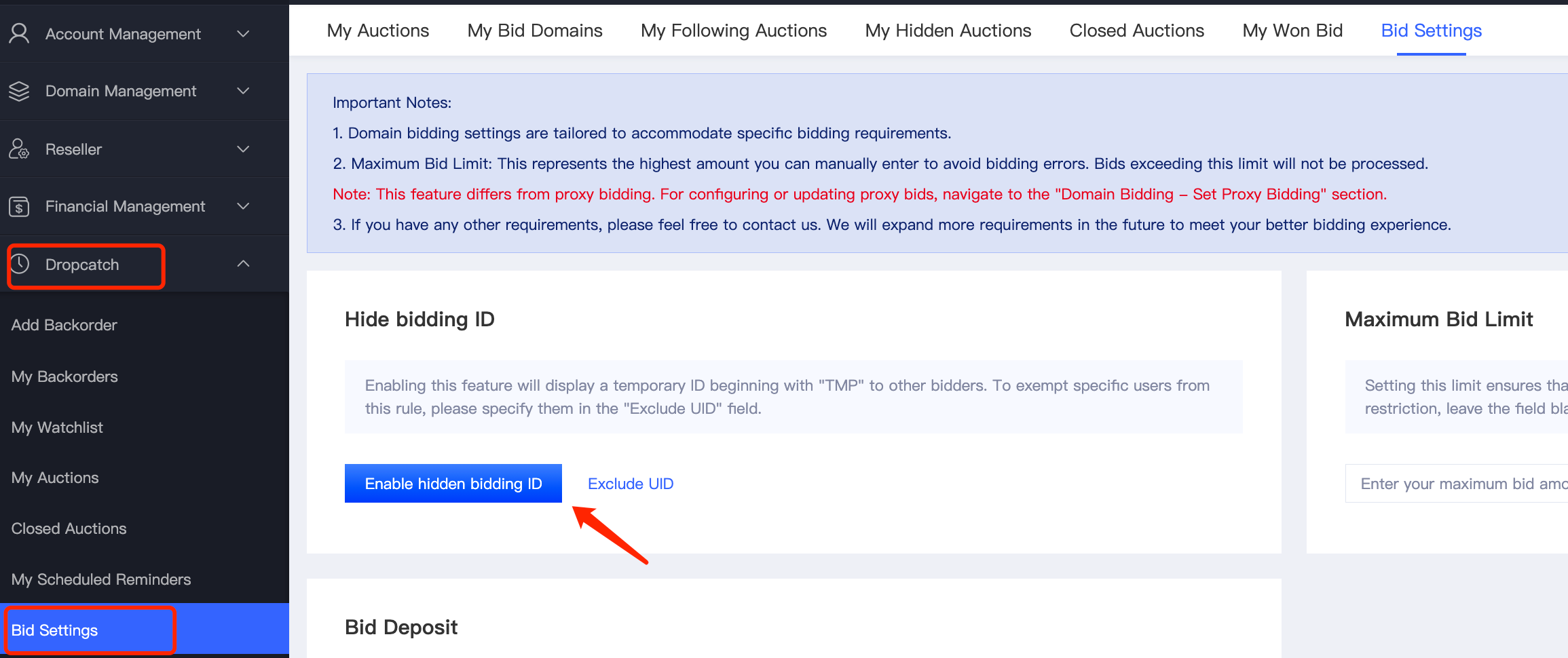
Go to [Dropcatch] - [Bid Settings].
Enable Bid ID Hiding: Click 【Enable hidden bidding ID 】 to activate the feature.
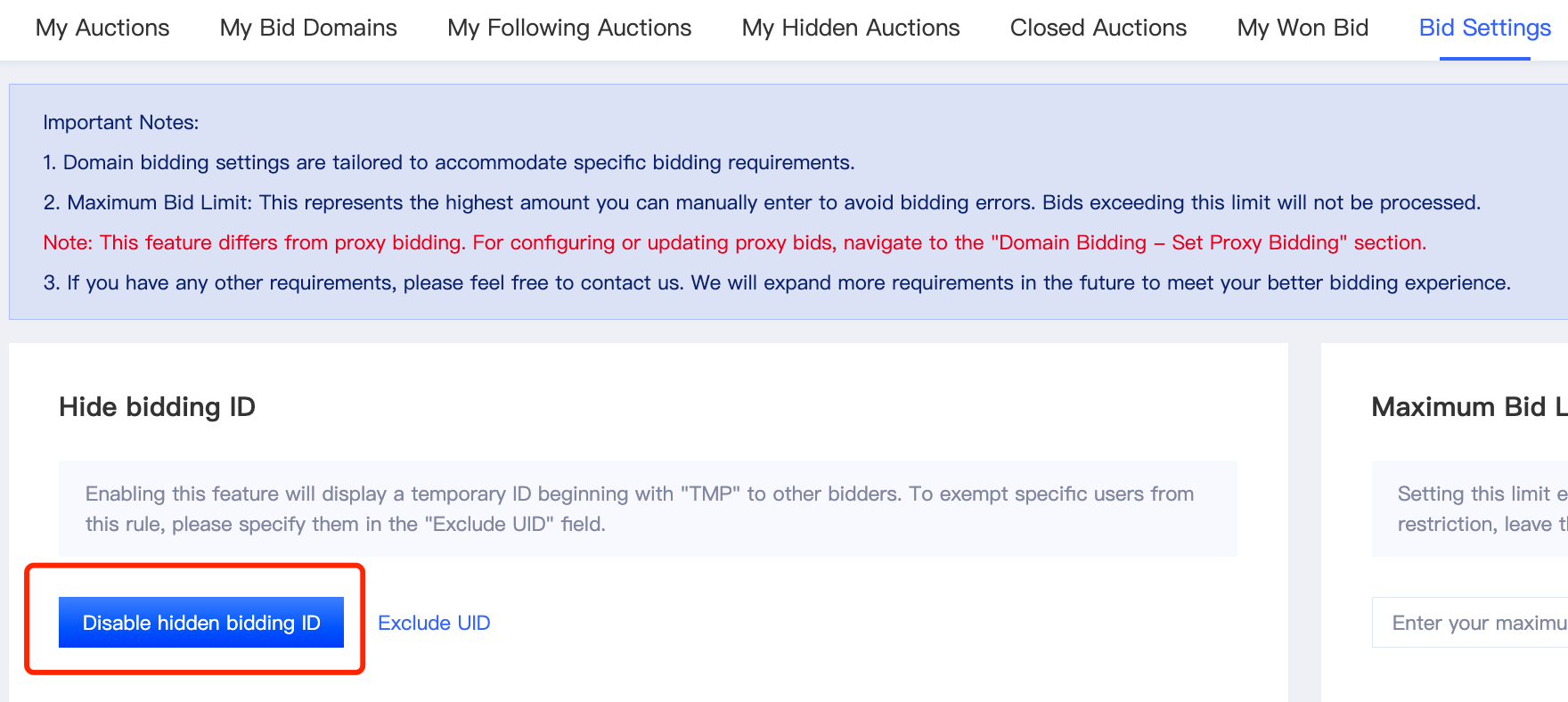
Disable Bid ID Hiding: On the same page, click 【Disable hidden bidding ID】 to turn off the feature.
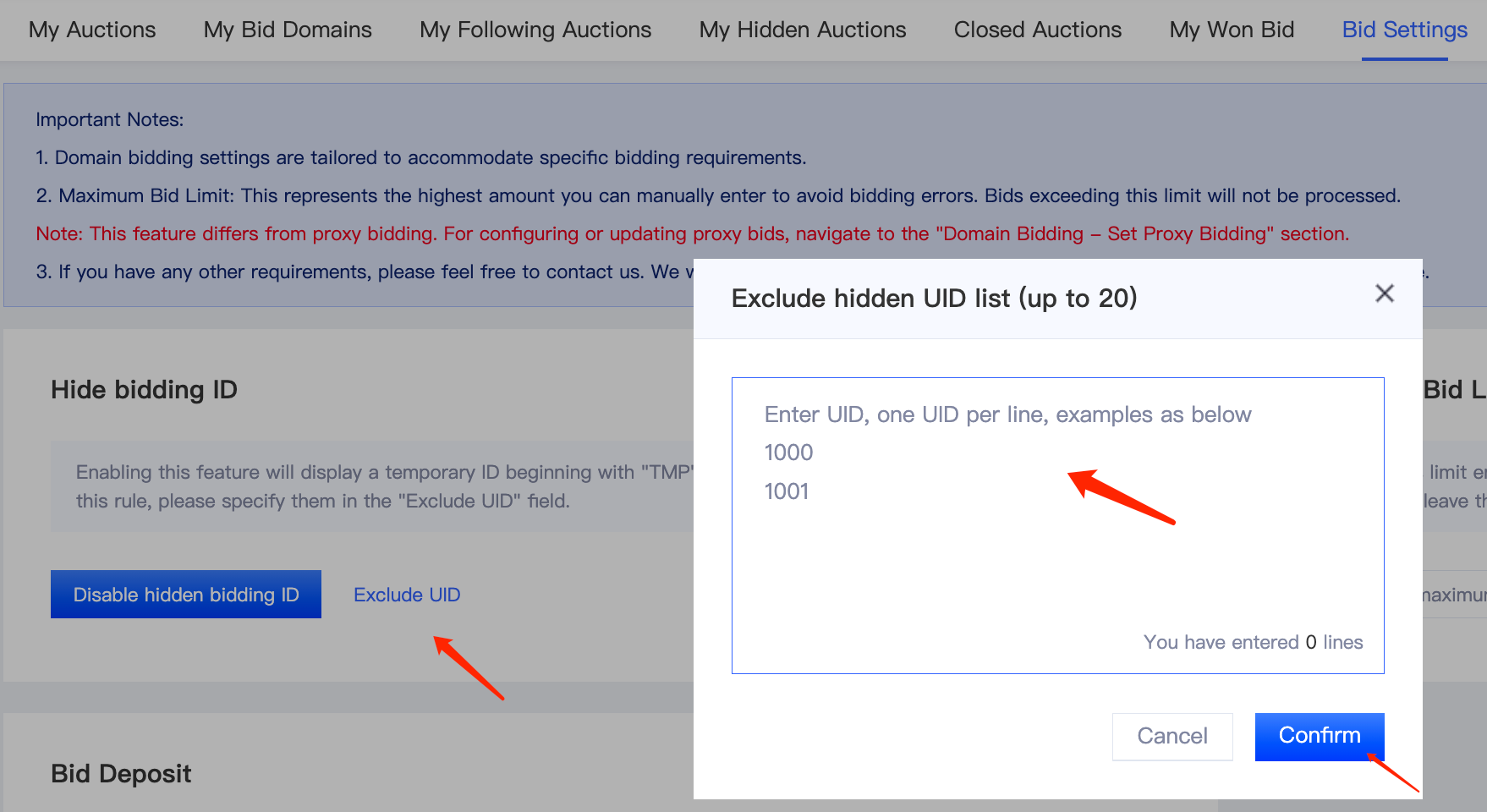
2. Exclude UIDs
To exempt specific users from the Bid ID Hiding rules, use the [Excluded UID] feature.
Enter the UIDs you want to exclude in the Excluded UIDs field. You can add up to 20 UIDs.
Once added, excluded users will not be subject to the Bid ID Hiding rules and will be able to see your actual Bid ID.